Van builds

Van builds, with the decisions behind them.

Builds in RME are not just photo sets. Each one records the platform, the layout, the specs, the materials and the lessons the builder would pass on, and every build is reviewed before it goes live. Van Blueprints adds a to-the-inch floor plan tool. Builds open from Explore → Creators and from shared build links; Van Blueprints lives in the same Creators tab.

Available on Google Play for Android and in TestFlight beta for iPhone.
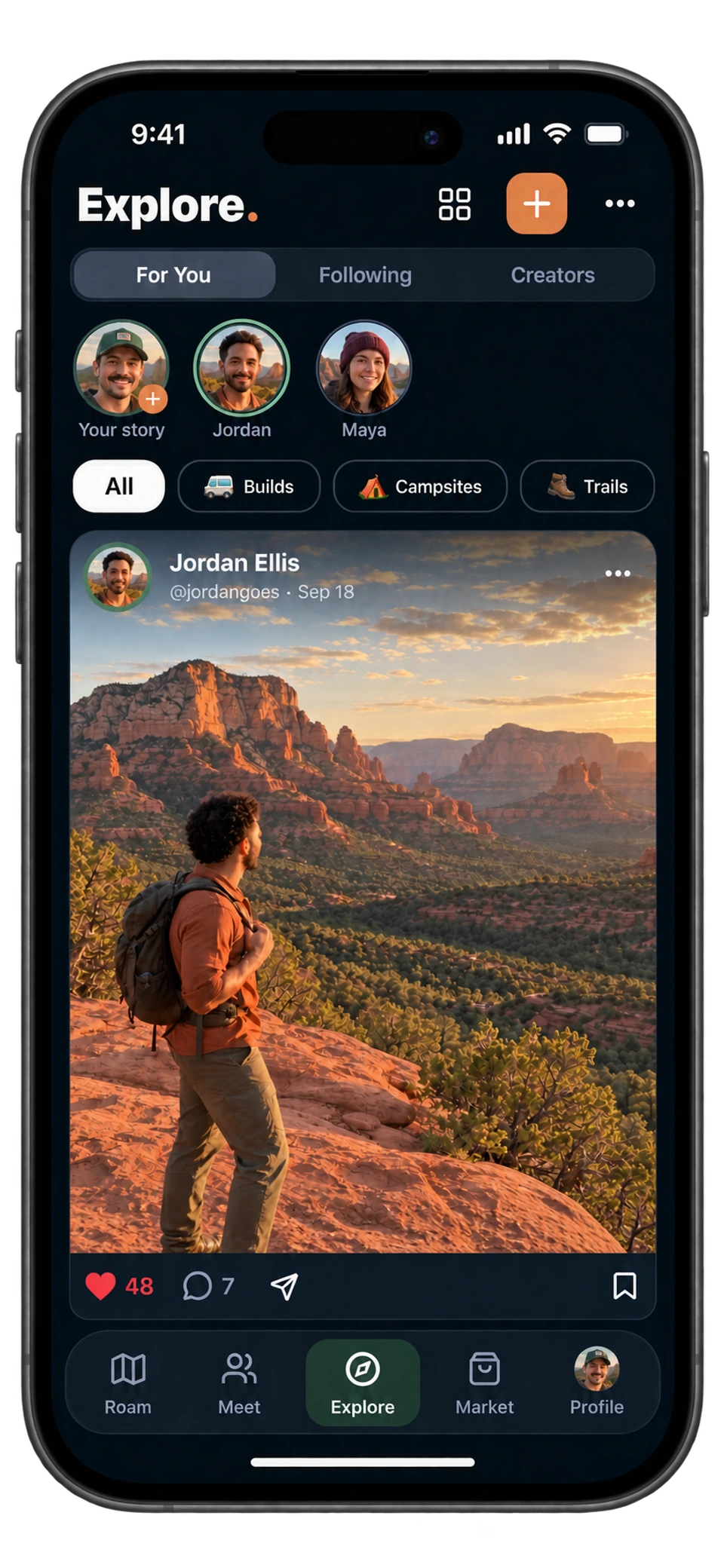
RME app on iPhone: Explore travel feed with stories, topics, and a Sedona hiking post
Explore · See the journeyTap the screen for a closer look ↗
The short answer

What a build page shows

A build has a title and one-line subtitle (the app’s example is “Juniper — 2022 Transit AWD” and “A four-season home for two and a dog”), the platform or base vehicle, why the builder chose it, a full build story covering the goal, layout, process, tradeoffs and how it performs on the road, specifications such as battery bank, fresh water and interior height, the materials and gear used, lessons for other builders, and links to videos and articles. Affiliate links are allowed but must be disclosed, and the page says so to readers.

Up to 12 images, with the first as the cover. Builds are submitted for review and reviewed before they go live, and you can save builds to collections for your own planning.

01

Real specs

Battery bank, fresh and grey water, interior height, insulation, heater: the numbers another builder needs, not just the finished shot.

02

Lessons, one per line

“Mock up the floor plan before cutting. Leave service access around the water pump.” The app asks for tips in exactly that form.

03

Van Blueprints

Draw your whole floor plan to the inch: pick your van, start from a layout, and move parts until it feels right. Export as SVG or PNG, with a parts list.

An outdoor traveler documenting a mountain journey with a camera
In the RME app
How it works in RME

Planning with Van Blueprints

  1. 01

    Choose your rig

    Top-down floor plans for Sprinters, Transits, ProMasters, skoolies, box trucks and trailers, or your own custom rig with your measured cargo length, width and interior height.

  2. 02

    Place parts

    Each part has a height and a distance off the floor, so a bed can sit over the wheel wells and a garage under it. Edges and centres line up while you drag, and walls snap to 45° and to part corners.

  3. 03

    Type the measurements

    Every measurement around a selected part is a button. Tap it and type 24, 2′ 3½″ or 60 cm; maths like 24 + 1 1/2 works too.

  4. 04

    Watch the weight

    Give parts a weight (count tanks full) and the plan shows the build weight against your rig’s payload.

  5. 05

    Export and build

    SVG or PNG with dimensions and a title block, and a CSV parts list with sizes and weights for a spreadsheet. Blueprints are saved on the device and synced to your account.

Vehicle builds and Van Blueprints are included with a free RME account. The app shows current plan details.

Details that matter

Before you count on it.

Sharing your own build

From the Creators tab in Explore, tap Show your build, add 1–12 photos, the title and subtitle, your platform, why you chose it, the full story, specifications, materials and gear, lessons and links. Submit it for review. The app’s guidance is “Make it useful, not just beautiful,” and approved builds also appear in a creator’s “My builds” block.

Where to find builds

Builds open from the Creators tab in Explore, from shared build links, on the creator pages of the people who made them, and in the collections you save. Build guides from RME creators, covering electrical, water, insulation and layouts, are planned for the Creators tab and are marked “Coming soon” in the app.

Straight answers

Questions about van builds.

The details that help you decide how RME fits your next trip.

Can I browse van builds without an account?

Builds are inside the RME app today. A shared build link opens the build in the app.

Do builds need a location?

No. A build page is about the vehicle and the work, not where it is parked.

Is Van Blueprints a CAD tool?

It is a top-down floor planner for a van’s cargo area, to the inch, with part heights, weights, versions and exports. It is not a 3D or structural tool.

Can I include affiliate links in my build?

Yes, and you must disclose them. The build page tells readers that some links are affiliate links and that the builder may earn a commission at no extra cost.

Are builds and Van Blueprints free?

Vehicle builds and Van Blueprints are included with a free RME account. The app shows current plan details.

Try it on the road

Get out there with RME 1.0.

Available on Google Play for Android and in TestFlight beta for iPhone.

See what's inside

Roam. Meet. Explore. Market.

Four tabs, one app, built for life on the road since July 2021.

What RME does