Trailprint

Trailprint: a map of everywhere you have actually traveled.

Trailprint records the roads and trails behind you as you travel and turns them into a personal map, with distance, area and a daily streak. It is optional, private by default, and you can export or permanently delete it at any time. It lives in the Roam tab of RME.

Available on Google Play for Android and in TestFlight beta for iPhone.
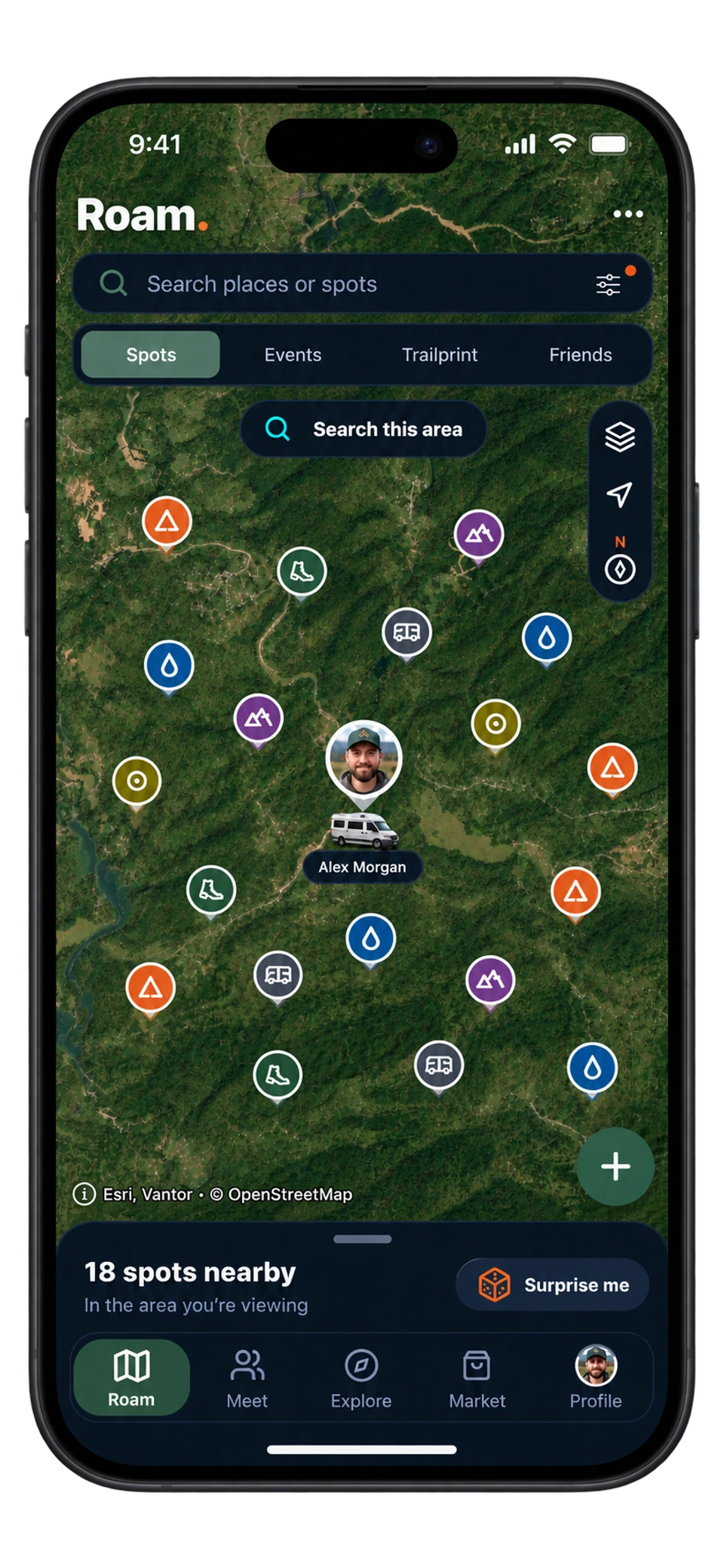
RME app on iPhone: Roam campsite map with search filters, nearby spots sheet, and floating navigation
Roam · Find your next stopTap the screen for a closer look ↗
The short answer

What Trailprint records, and what it does not

Before it starts, Trailprint shows a disclosure. After you continue and allow location access, RME records precise GPS points, timestamps and accuracy to reveal your route and calculate distance, area and streaks. Recording stays on in the background, even with the phone locked or RME closed, until you tap Stop revealing. Stopping ends new collection but does not erase saved history.

Trailprint is separate from Friends Map’s active-location sharing. Who sees your exact route is a setting: Private (only your account), Friends (mutual friends) or Public (signed-in RME members on your profile).

01

Your record

Distance in miles, area in km², and a streak of travel days. A history timeline lets you look at one month or one year, or your entire recorded journey.

02

Your controls

Private by default. Switch route visibility between Private, Friends and Public, export GeoJSON, or delete all Trailprint data permanently.

03

Your photos on the map

Turn on photo markers to see location-tagged posts along your route, and show or hide state boundaries and names.

A winding orange trail records a journey through forest and mountains
In the RME app
How it works in RME

Using Trailprint

  1. 01

    Open Roam → Trailprint

    Read the disclosure, then tap Start revealing and allow location access.

  2. 02

    Drive, ride or hike

    Trailprint keeps recording through patchy service and while the phone is locked. Browsing new map information may still need a connection.

  3. 03

    Stop when you like

    Stop revealing ends new collection. Your history stays until you delete it.

  4. 04

    Look back

    Distance, area and streak at the top; the travel timeline by month or year; your longest travel day. Advanced insights compare your latest 30 travel days with the 30 before, and the app shows what they require.

  5. 05

    Export or delete

    Export GeoJSON to keep your own copy. Delete all Trailprint data removes every exact route, unlocked area, XP and streak earned through Trailprint.

Trailprint is included with a free RME account. The app shows current plan details.

Details that matter

Before you count on it.

Privacy, in the app’s own words

The disclosure before Trailprint starts says precise location can continue in the background, that recording stays on until you tap Stop revealing, that active-location sharing is separate, and that you stay in control: “Stop revealing ends new location collection but does not erase saved history. Trailprint settings let you export or permanently delete that history, and you can revoke location permission in system settings.”

Trailprint recording is also described in the Privacy Policy.

Road loops

Trailprint can prepare a road loop, for example the Lower 48 or a scenic loop, as a route to reveal over time. It is a map of where you have been, not turn-by-turn navigation.

Straight answers

Questions about trailprint.

The details that help you decide how RME fits your next trip.

Does RME track my route automatically?

Trailprint is optional and starts only after you review its disclosure and choose to begin. It is private by default, and its recording and sharing controls remain yours to manage.

Is Trailprint included with a free account?

Yes. Trailprint and all Roam spots are included with a free RME account. Current access details are shown in the app.

Who can see my Trailprint?

You choose: Private (only your account), Friends (mutual friends can view your exact route) or Public (signed-in RME members can view it on your profile). Your map is completely hidden until you change it.

Can I export my Trailprint?

Yes. Trailprint data controls include Export GeoJSON, which works with most mapping tools, and a permanent delete that removes every exact route, unlocked area, XP and streak.

Does it drain my battery?

Trailprint records precise GPS in the background while revealing, which uses battery like any location recording. Stop revealing when you are parked for the night if you want to save power.

Try it on the road

Get out there with RME 1.0.

Available on Google Play for Android and in TestFlight beta for iPhone.

See what's inside

Roam. Meet. Explore. Market.

Four tabs, one app, built for life on the road since July 2021.

What RME does